
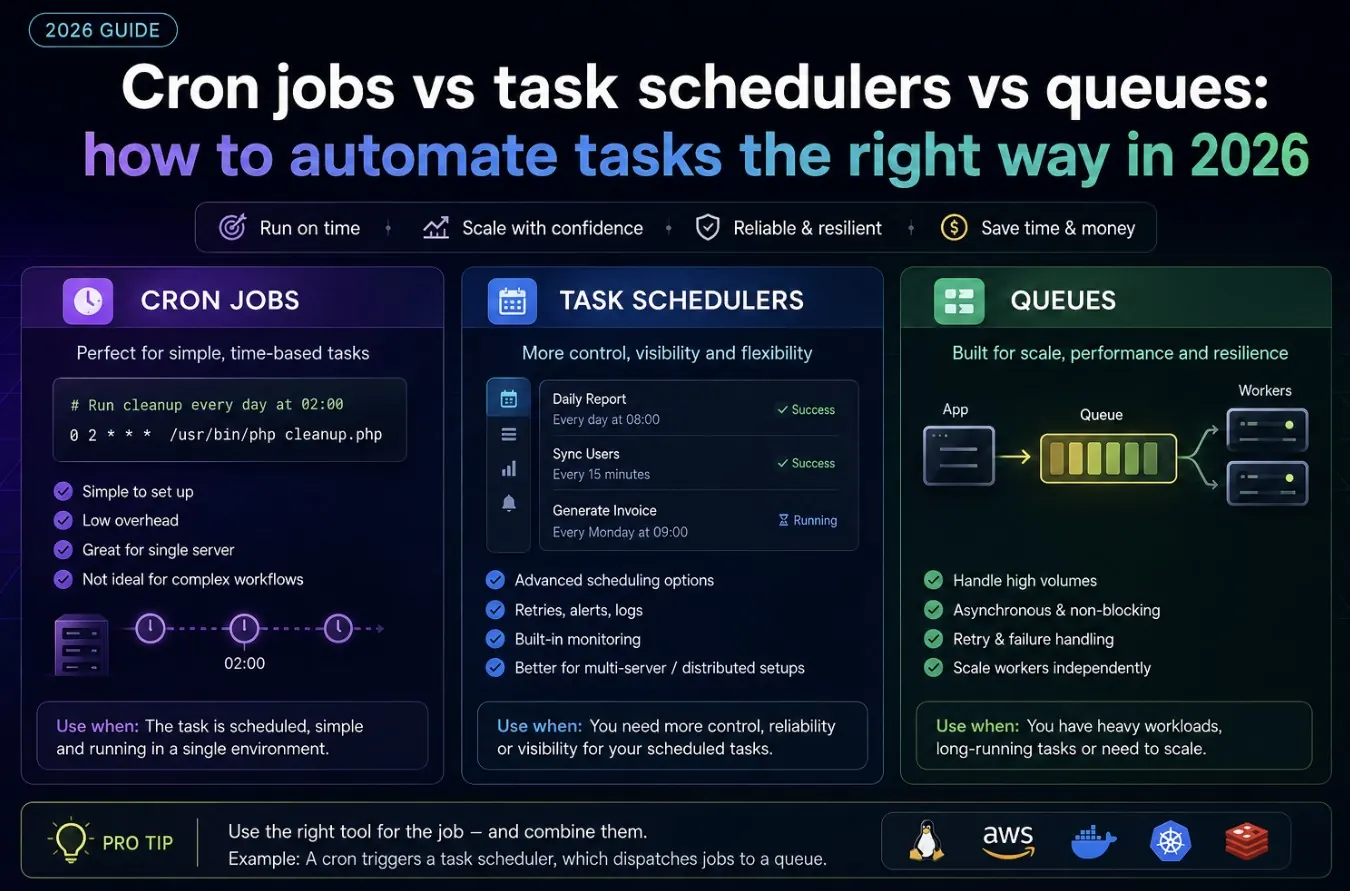
“Just cron it” is often the right answer, and just as often the wrong one. Cron jobs, task schedulers, and queues all “run something later,” but they behave very differently under failure, load, and scale. Picking the wrong one is usually invisible until the one time it isn’t.
The three options in one sentence each
- Cron jobs: run a script at fixed times, no built-in retry, no awareness of whether the previous run finished.
- Task schedulers (like node-cron, Laravel Scheduler, Celery beat): cron-like scheduling built into your application, often with better logging and overlap protection.
- Queues (like BullMQ, SQS, RabbitMQ): jobs triggered by events, processed asynchronously by workers, with retries, backoff, and concurrency control.
When cron is genuinely the right tool
- The task runs on a fixed schedule regardless of load — nightly backups, log rotation, certificate renewal.
- It’s fine if a run occasionally overlaps or is missed during a deploy or reboot.
- You don’t need retry logic beyond “it’ll run again tomorrow.”
# Classic crontab entry: run a backup script every night at 2:30am
30 2 * * * /usr/local/bin/backup.sh >> /var/log/backup.log 2>&1

# Every 15 minutes
*/15 * * * * /usr/local/bin/health-check.sh
When an in-app task scheduler is better
Use this when you want scheduling logic to live in your codebase (versioned, testable) instead of on the server, and you need protection against overlapping runs.
// Node.js with node-cron
import cron from 'node-cron';

let isRunning = false;

cron.schedule('*/10 * * * *', async () => {
  if (isRunning) return; // prevent overlap if the previous run is slow
  isRunning = true;
  try {
    await syncInventory();
  } catch (err) {
    console.error('Inventory sync failed:', err);
  } finally {
    isRunning = false;
  }
});
When you actually need a queue
- The task is triggered by an event (user signs up, order placed), not a fixed time.
- You need retries with backoff when a job fails — an email provider timeout shouldn’t lose the job.
- Volume is unpredictable and you need to control concurrency so workers don’t overwhelm downstream services.
- You need visibility: which jobs failed, which are pending, how long they took.
// BullMQ example: queue + worker with retries
import { Queue, Worker } from 'bullmq';

const emailQueue = new Queue('emails', { connection: { host: '127.0.0.1', port: 6379 } });

// Producer: add a job whenever a user signs up
await emailQueue.add('welcome-email', { userId: 42 }, {
  attempts: 3,
  backoff: { type: 'exponential', delay: 5000 }
});

// Consumer: process jobs
new Worker('emails', async (job) => {
  await sendWelcomeEmail(job.data.userId);
}, { connection: { host: '127.0.0.1', port: 6379 }, concurrency: 5 });
A quick decision guide
| Situation | Best fit |
|---|---|
| Fixed-time maintenance task, low stakes if delayed | Cron |
| Scheduling logic should live in app code, versioned | Task scheduler |
| Event-triggered, needs retries and concurrency control | Queue |
| High volume, unpredictable spikes | Queue |
Many production stacks use all three at once. If you’re deploying the app that will run these jobs, see deploy a Node.js app with Nginx and PM2 for how process management fits alongside scheduled and queued work.
Quick FAQ
Can cron and queues work together?
Yes, commonly: a cron job runs every minute and simply enqueues jobs for a queue to process, combining reliable scheduling with retry-safe execution.
Is a queue overkill for a small side project?
Often yes. Start with cron or a task scheduler, and move to a queue only once you hit retry or concurrency problems cron can’t solve.
What happens if a cron job is still running when the next one starts?
By default, nothing stops it — you get overlapping runs. Add a lock file or use a scheduler library with overlap protection to avoid this.
Leave a Reply